From "yes"
to a ready event plan.
After a client accepts a proposal, hotels still chase them for the agenda, seating, extras and the guest list. This tool lets the client hand it all over in one place, right on the proposal.
It started with a review
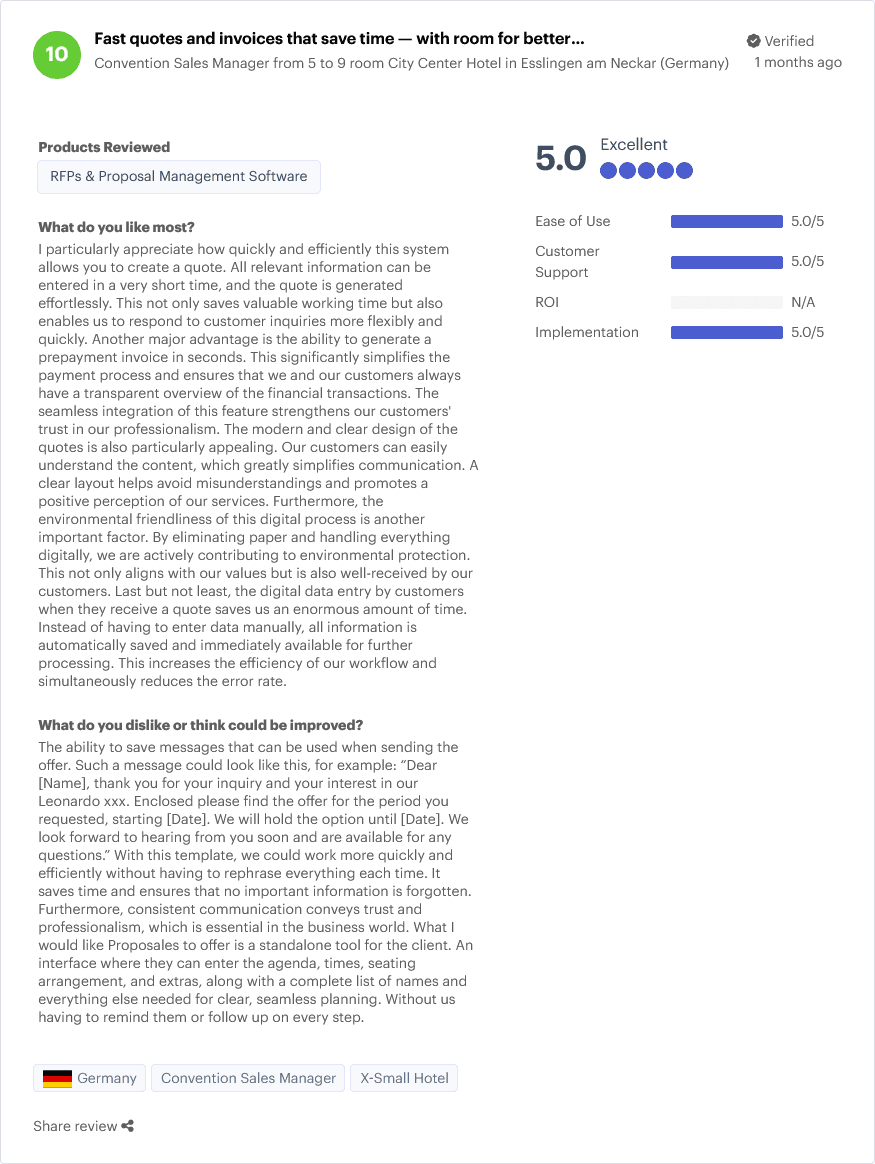
A convention sales manager at a small city-center hotel in Germany gave Proposales full marks, and asked for one more thing:
"What I would like Proposales to offer is a standalone tool for the client. An interface where they can enter the agenda, times, seating arrangement, and extras, along with a complete list of names and everything else needed for clear, seamless planning. Without us having to remind them or follow up on every step."
What I built
Step 1
The client plans
Once the proposal is accepted, the client opens one page and fills in the agenda, seating, extras, special requests and attendees with dietary needs. A guest list can be pasted straight from a spreadsheet.
Step 2
It lives on the proposal
The plan is saved on the proposal itself in Proposales. No new system, no extra database; the hotel sees it in the proposal's Data panel.
Step 3
The hotel gets a clear email
On submit, and again whenever something really changes: the full plan, what changed, a dietary summary for the kitchen and the guest list as a spreadsheet.
Retyping, reordering or fixing capitalization does not send an email. Only real changes do.
What the hotel receives
A short sample update email. It comes from the same code that sends the real ones, so this is exactly what lands in the hotel's inbox.
From: Event planning
[Action needed] Event plan updated: Acme Sales Kickoff – 2 days, 40 people
attendees.csvAcme Sales Kickoff – 2 days, 40 people
Status: accepted
Needs attention
- Grace Kim: diet (empty) -> Severe nut allergy
Changes
- Grace Kim: diet (empty) -> Severe nut allergy
- Extra added: Projector and screen
Agenda
| Time | Item |
|---|---|
| 09:00 | Welcome and kickoff keynote |
Extras
- Projector and screen
Dietary summary
severe nut allergy: 1
Attendees
| Name | Diet |
|---|---|
| Grace Kim | Severe nut allergy |
Demo's use of AI
Demo uses AI for one narrow judgment: is this change urgent? Everything else follows simple rules that anyone can read and test.
What it does
When the client changes their plan, the Jev model answers one yes/no question per change: does it need the hotel's prompt attention? Urgent changes, like a new nut allergy, go in a "Needs attention" box at the top of the email, and the subject starts with [Action needed].
Why Jev
A busy hotel should not miss an allergy between reworded extras. Jev does not write text; it returns a probability, so the code stays in control.
Where it stops
It only decides what goes on top of the email, never whether the hotel is emailed or what is saved. It only sees the change lines and the event title, never the guest list. If it is slow or unavailable, the email still goes out with every change listed.
Not built: my second idea was to turn unstructured input, like a forwarded email, a PDF or a spreadsheet, into a structured plan. That needs a general-purpose LLM, and I had no LLM credits for this prototype.
What I would add with more access
Some of the best parts of this are not possible today, through the Proposales API or without LLM credits. These are my suggestions:
- A "Plan your event" button on the accepted proposal. Today the hotel has to send the planning link separately, because the client's proposal page cannot show a link from the API.
- An event when a proposal is accepted. Then the planning link could be emailed to the client automatically, the moment they say yes.
- Safe concurrent edits. A version check on proposal data, so two saves can never cross.
- Cleaning up data. A way to remove a stored value, not only to blank it.
- Import a plan from any file. With LLM credits, the client could drop in an email, a PDF or a spreadsheet, and get a draft plan to review before saving.
See it in action
Open a demo proposal, fill it with a sample plan in one click, and submit it to the "hotel".
Open the demoBuilt by Mervin Bratic as a prototype on the Proposales API with the help of Claude. Demo data is shared, so you may see other visitors' changes.